 OmniDoc Free Document Translation
Free document translation
Upload a PDF, Word, PowerPoint, Excel or EPUB file and get the whole document translated with its layout kept: headings, paragraphs, tables and images stay where they were. PDFs and LaTeX also get a bilingual version.
Start translating for freeDesktop app: no page limitUp to 21 pages per PDF and no monthly cap; free jobs wait in a queue. For longer files or when you are in a hurry, the OmniDoc desktop app has no page limit and no queue.
How it works
Upload a file
Sign in with an OmniDoc account and drop the file on the page.
Choose a language
The source language is detected. Choose the target language and start.
Download
Download the translation when it is ready. It runs in the background, so you can close the page.
The translation keeps the document
Layout kept
Headings, paragraphs, tables and images stay in place.
Bilingual and translation only
PDF and LaTeX come in both versions: bilingual to check line by line, translation only to read and share.
Tables cell by cell
Headers and cells are translated separately and the table keeps its rows and columns.
Source language detected
Translate into Chinese, English, Japanese, Korean, French, German, Spanish and more than 30 languages in all.
Example
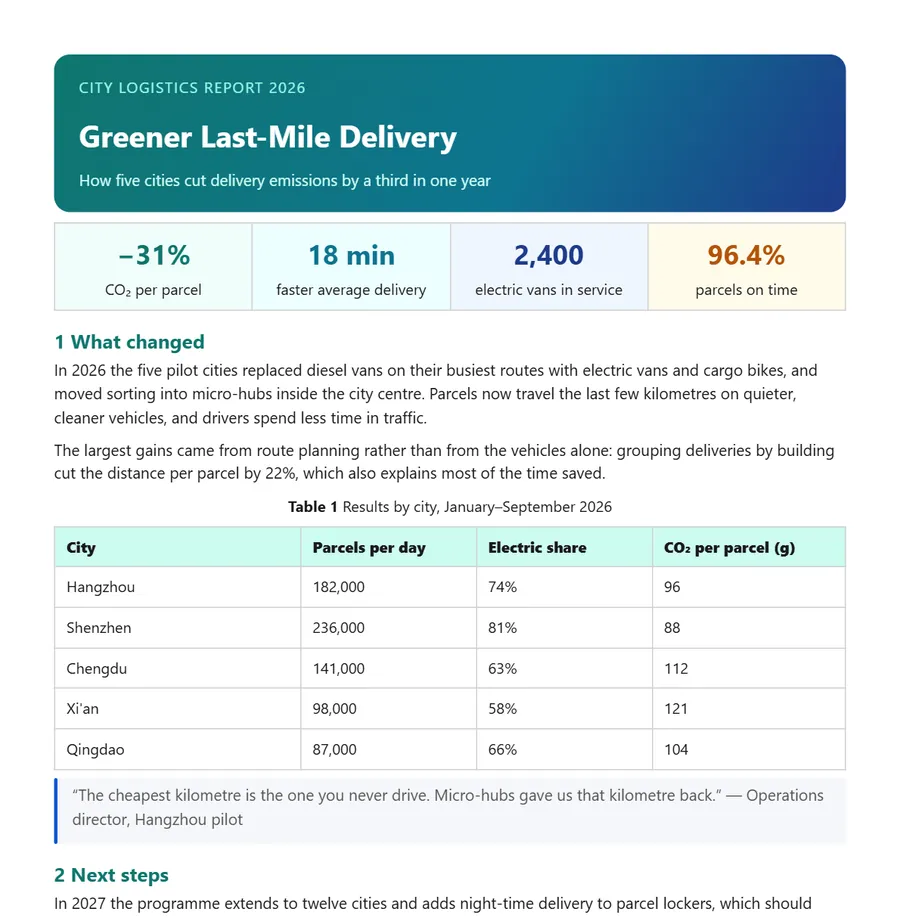
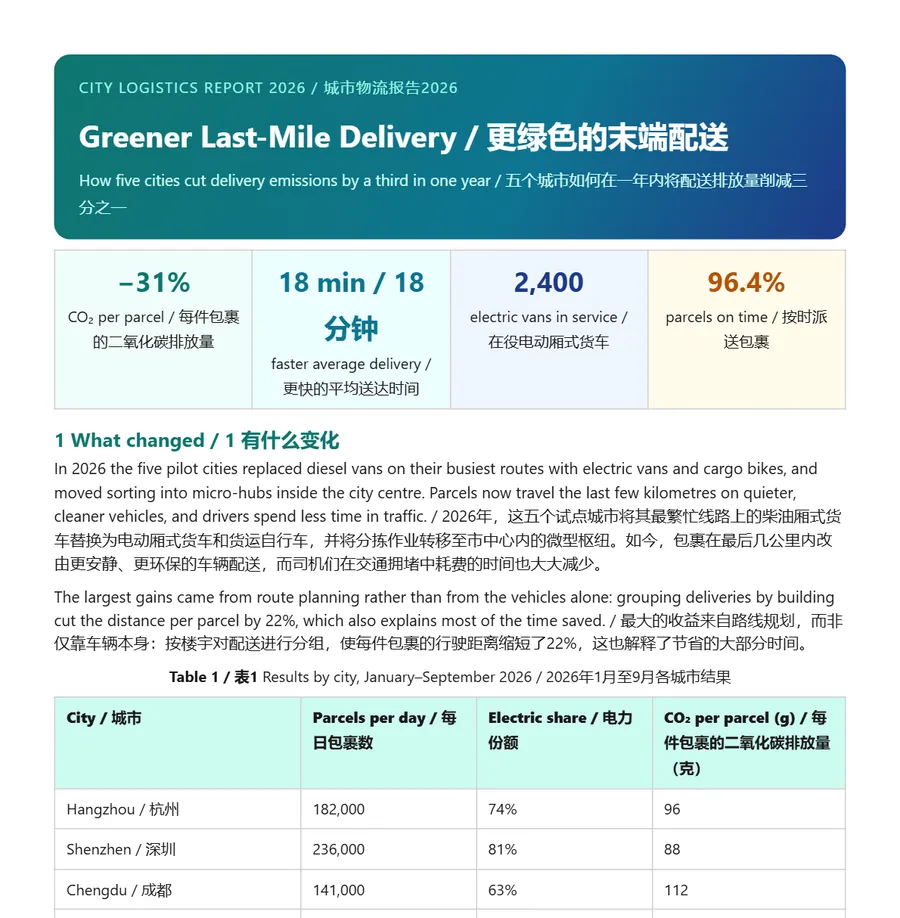
Both images are real OmniDoc output.
Supported formats
| File | What you get |
|---|---|
| PDF, LaTeX (.tex or a source archive) | A bilingual version and a translation-only version |
| Word, Excel, CSV, EPUB, Markdown, TXT, HTML | A translated file that keeps paragraphs, tables and styles |
| PowerPoint | Translation only (no bilingual version for slides yet) |
| SRT and ASS subtitles | Translated subtitle files |
| JPG and PNG images | Translated images that keep the original background |
Questions
Will the layout change?
The layout is kept as closely as possible. Complex tables, formulas and special fonts may differ slightly; check the pages before you use them.
Can I translate a scanned PDF?
PDFs with a text layer work best. Recognise a scan with the free document extraction first.
Do I need an account?
Yes. Sign in with an OmniDoc account; signing up is free. Only you can see the files you upload and their results.
What are the limits of the free version?
Up to 21 pages per PDF and no monthly cap; free jobs wait in a queue. For longer files or when you are in a hurry, the OmniDoc desktop app has no page limit and no queue.
Do I need to install anything?
No, it runs in the browser. For long files, or when you are in a hurry, use the OmniDoc desktop app for Windows, macOS or Linux.
Try it now
Up to 21 pages per PDF and no monthly cap; free jobs wait in a queue. For longer files or when you are in a hurry, the OmniDoc desktop app has no page limit and no queue.
Start translating for freeGet the desktop app