 OmniDoc Free Document Translation
 / Translate PDF online for free
Translate PDF online for free
Translate a whole PDF and the translation stays where the original was: a heading stays a heading and a table stays a table. Every PDF comes back as two files: a bilingual version to check paragraph by paragraph and a translation-only version to read and share.
Upload a PDF to translateDesktop app: no page limitUp to 2000 pages per PDF and no monthly cap; free jobs wait in a queue. For longer files or when you are in a hurry, the OmniDoc desktop app has no page limit and no queue.
Example
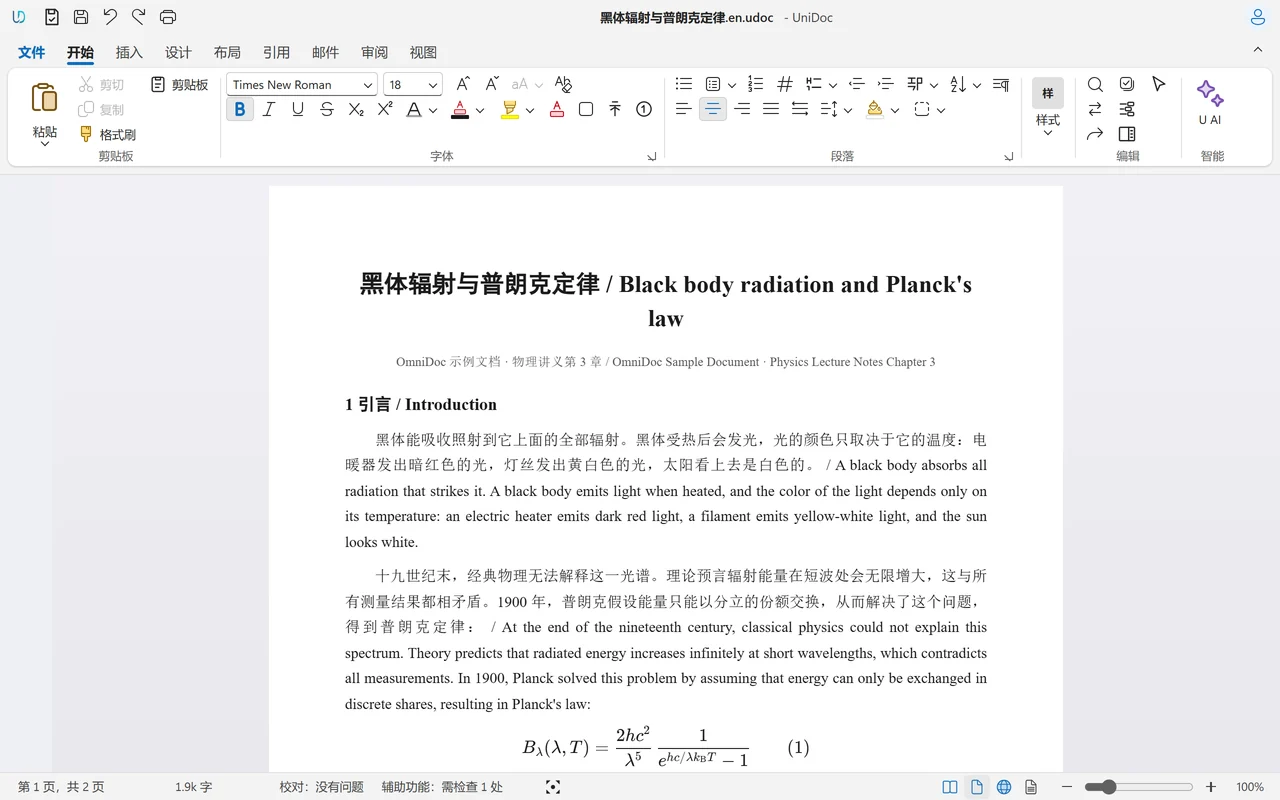
Why not copy the PDF into a translation box
Copying the text of a PDF into a translation website loses the headings, tables and images, and a long document has to be pasted in pieces. The translated text is then hard to put back into the original layout.
OmniDoc reads the page layout of the PDF, translates it paragraph by paragraph and writes the translation back in the same place, translating tables cell by cell. Papers, reports and manuals can be printed or shared right after translation.
How it works
Upload the file
Sign in with an OmniDoc account and drop the file on the page.
Choose a language
The source language is detected automatically. Choose the target language and start.
Download the result
Download the translation when it is ready. It runs in the background, so you can close the page.
The OmniDoc desktop app
The free desktop app for Windows, macOS and Linux opens, edits and saves files on your own computer.
10,000 pages, and typing still keeps up
Edit a document of more than 10,000 pages as easily as a short one: each keystroke is laid out in about 9 ms, and jumping to any page takes about 3 ms.
100% classic Office XML support
.docx, .xlsx and .pptx open and save natively and stay standard Office files; formulas, charts and pivot tables keep working.
China's new national-standard formats
Open and edit OFD (GB/T 33190) and convert it to and from PDF; GB/T 7714—2015 references, a GB/T 7713.1 thesis template and the official-document numbering 一、(一)1.(1)① are built in.
Questions
What does the bilingual version look like?
Each paragraph shows the original text followed by its translation, so you can check it sentence by sentence. The translation-only version keeps just the translation.
Are formulas in papers kept?
Formulas are kept as they are wherever possible. To keep them completely, upload the LaTeX source of the paper instead of the PDF.
Can I translate a scanned PDF?
PDF files with a text layer work best. For a scan, recognise the text with the free document extraction first.
Do I need an account?
Yes. Sign in with an OmniDoc account; signing up is free. Only you can see the files you upload and their results.
What are the limits of the free version?
Up to 2000 pages per PDF and no monthly cap; free jobs wait in a queue. For longer files or when you are in a hurry, the OmniDoc desktop app has no page limit and no queue.
Try it now
Up to 2000 pages per PDF and no monthly cap; free jobs wait in a queue. For longer files or when you are in a hurry, the OmniDoc desktop app has no page limit and no queue.
Upload a PDF to translateGet the desktop app